
The first thing that you’ll want to do in WorkCompass is to create a plan.
A plan allows you to keep track of your Professional goals and development for the coming year.
Your Manager will need to approve your plan and will have access to it.
A plan is intended for you to consistently update over time to encourage conversation with your Manager and can be really valuable.
Creating a new plan takes a few quick steps.
Follow the instructions below to create your performance plan:
- Log in to your WorkCompass account and click on your name on the top right side of the page.
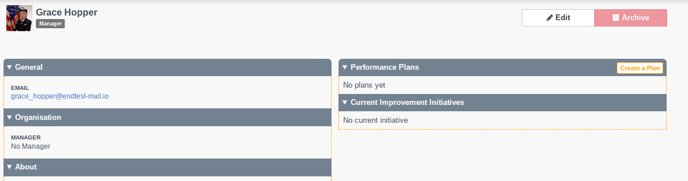
- On the next page click the button Create a Plan that you will see to the right of the Performance plans section.
- On the next page, you can add your own goals, competencies, and development needs.
If you're new to WorkCompass, you may also want to check out our article on how to set SMART goals.