
By default, the Complete Final Review button appears on the Review page in the last 28 days of the Performance Cycle. This can be changed by the platform Administrator in the platform settings.
This means that 28 days prior to this date, the Final Review button will become visible to both Managers and their Employees. At this time, Managers and Employees will both be able to perform a final review of the employee's performance.
Employees can add comments, self-rate their performance and complete their review.
For example, if the due date of the plan is December 31st, then the Complete Final Review button will be available starting December 3rd as this is 28 days before the due date. You will see the Complete Final Review button at the bottom of the page as shown in the screenshot below:
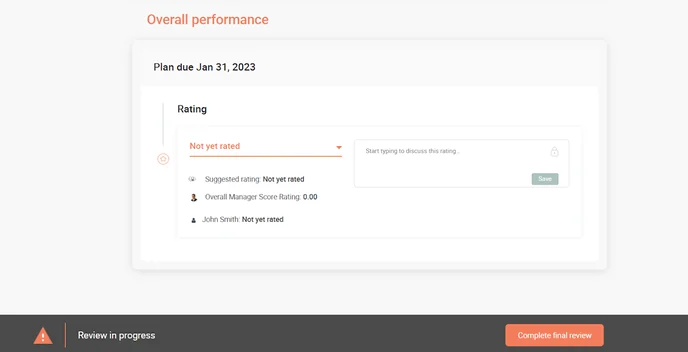
When a Manager is completing their final review, they will be able to see the ratings the Employee gave themselves during their self-review.
Once the Manager has added their feedback, selected their ratings and clicked on the Complete Final Review button, the plan will be archived.
It is possible to re-open the plan if any changes are required. Plans can only be re-opened by a Manager or Account Administrator.
We have an article on how to complete this here: https://support.workcompass.com/knowledge/how-to-reopen-and-edit-an-archived-plan