
You can see the steps of how to set a custom plan Final Review due date when creating your plan below:
- First, from the home page, click on “My Account” button in the top right corner of your screen, and select Profile from the drop-down menu.
- Next, click on the name of the plan you'd like to edit.
- In the plan, click on the “This plan is due” field, as shown on the screenshot below:
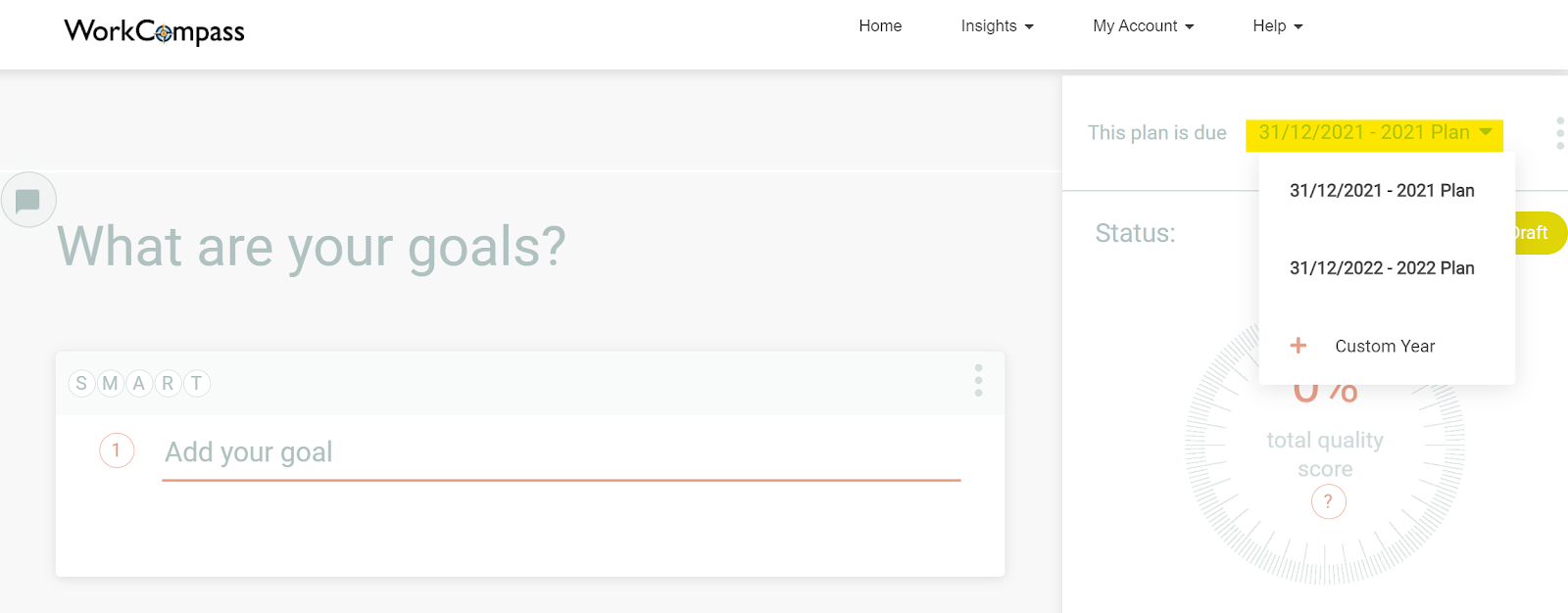
- In order to change the due date click on “Custom Year” and select the specific due date as shown above.
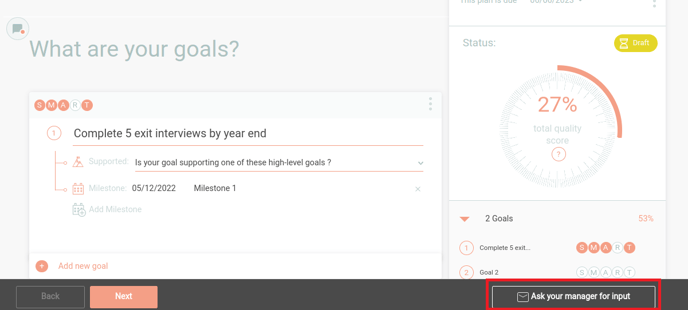
- Finally, click on Ask your manager for input button at the bottom of the screen so that your Manager can approve changes made to the plan.
And that’s all that there is to it!
One thing to keep in mind is that if you don’t see the new date reflected immediately, that’s okay. Your plan will not reflect the new due date until approved by your Manager.